
 Mexico - Español
  China - 中文
  Australia - English
  Canada - English
  India - English
  United Kingdom - English
  United States - English
  France - Français
  Italy - Italian
  Brazil - Português
  Argentina - Español
  Chile - Español
  Colombia - Español
  Guatemala - Español
  Puerto Rico - Español
  Spain - Español
 Check active incidents, and in Tickets, view the amount and status of each compensation claim
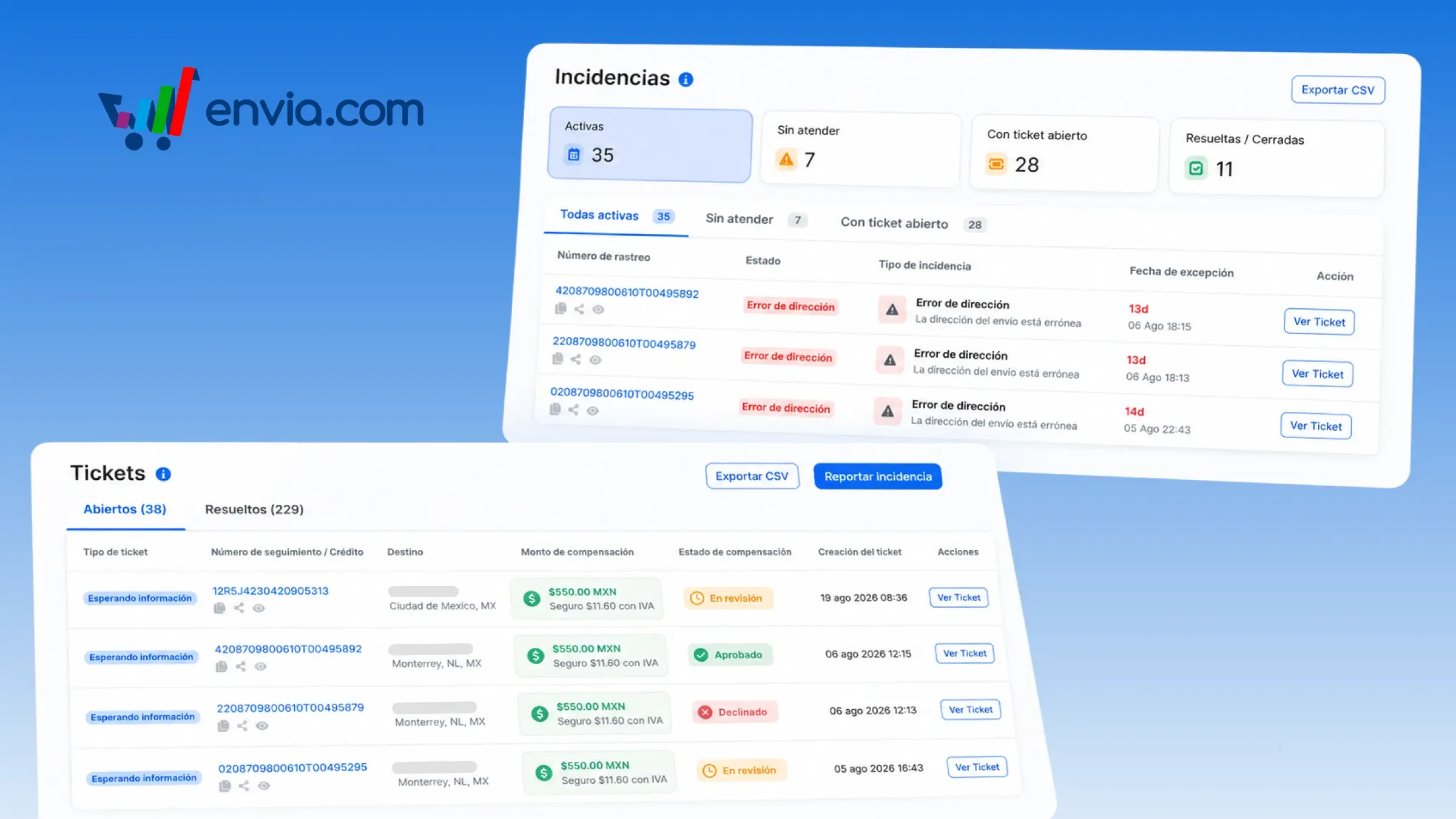
In the Incidents section, you will see the active shipment incidents by default: those not yet handled and those that already have an open ticket. The system opens this view on entry, and you can switch to Unhandled, Open Ticket, or Resolved / Closed. In the Tickets section, the same list shows how much was claimed in compensation for a damaged, lost, or insured shipment, and whether that claim is under review, approved, or declined. The system displays the amount and status in each row so that you do not need to open every ticket individually. This is useful when you are handling exceptions in Incidents and, in Tickets, checking which money claims are still pending on the same day.
Benefits
- In the Incidents section, you can choose to view only the active ones or switch to Unhandled, Open Ticket, or Resolved / Closed. In the Tickets section, you can filter by compensation status.
- On opening the Incidents section, the list already shows the active ones. In the Tickets section, the claimed amount and claim status appear in the row.
- You can see whether that shipment's claim is under review, approved, or declined before opening the ticket.
Note
In the Incidents section, the Active view does not include resolved or closed cases. In the Tickets section, if a case has no compensation, those columns remain blank.