
 Mexico - Español
  China - 中文
  Australia - English
  Canada - English
  India - English
  United Kingdom - English
  United States - English
  France - Français
  Italy - Italian
  Brazil - Português
  Argentina - Español
  Chile - Español
  Colombia - Español
  Guatemala - Español
  Puerto Rico - Español
  Spain - Español
 Link your CLABE to top up your balance automatically (Mexico only)
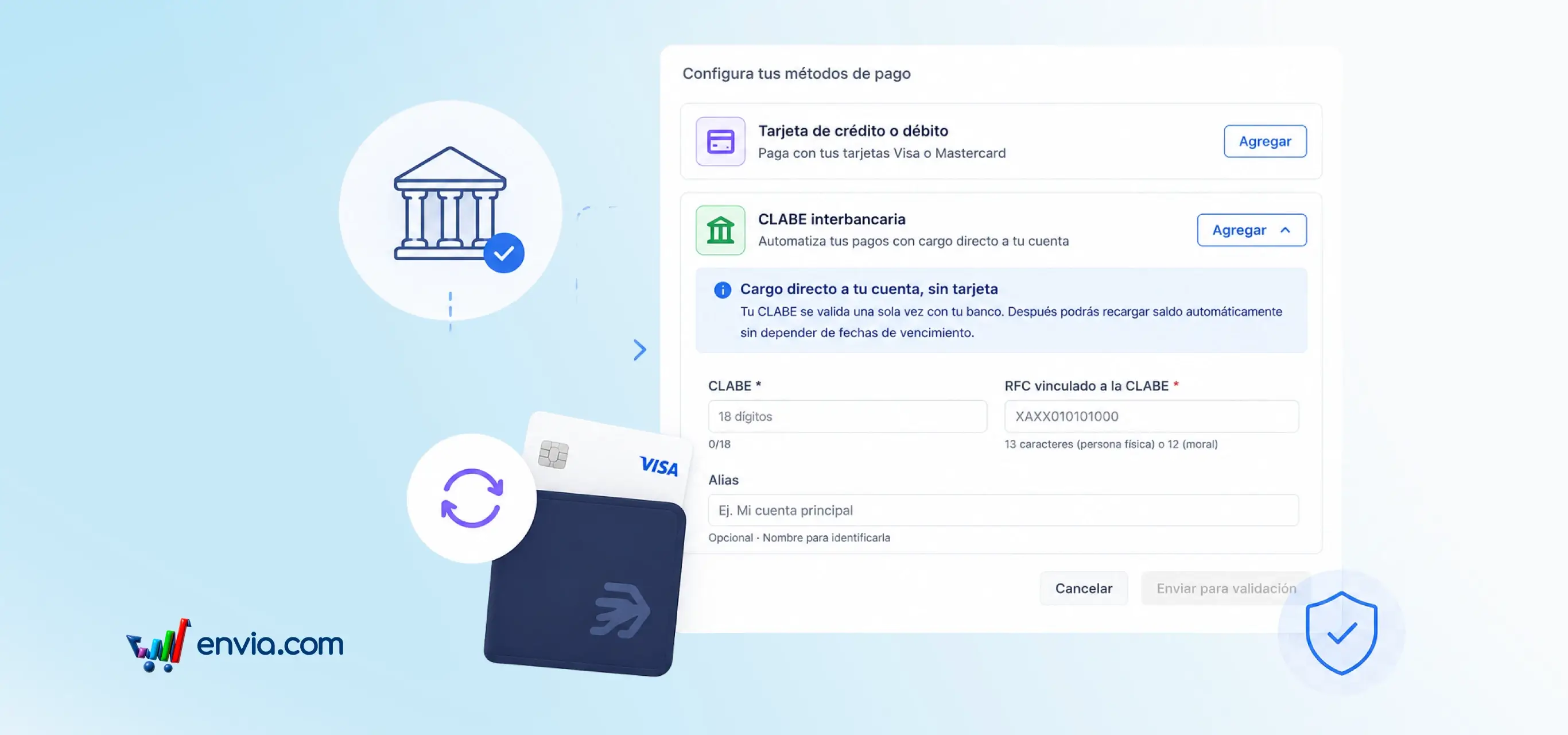
From Settings > Payment Methods, you can register your CLABE and select it as the payment method for automatic balance top-ups. As you type your CLABE, the bank is detected automatically from the first digits; you only need to add your RFC so STP can validate the account in a few minutes. Once the rule is active, the system charges automatically whenever your balance drops below the threshold you set, with no manual steps required. You can switch between CLABE and card at any time; the platform always shows the active method and the amount to be charged on the next top-up.
Benefits
- You define the balance threshold that triggers the top-up and the amount charged each time, and you can switch between CLABE and card whenever required.
- The bank is detected automatically as you type your CLABE, and the charge is executed only when the balance falls below the configured limit — no manual monitoring or top-ups required.
- The platform always displays your CLABE status (pending, validated, or rejected) along with a clear summary of the active method, the amount, and the account that will be charged.
Note
Available for Mexico accounts only. CLABE charges are processed between 6 PM and 8 PM Monday to Friday, and only one active top-up rule is allowed at a time.