
 Mexico - Español
  China - 中文
  Australia - English
  Canada - English
  India - English
  United Kingdom - English
  United States - English
  France - Français
  Italy - Italian
  Brazil - Português
  Argentina - Español
  Chile - Español
  Colombia - Español
  Guatemala - Español
  Puerto Rico - Español
  Spain - Español
 See the full address of each order without opening any extra screen
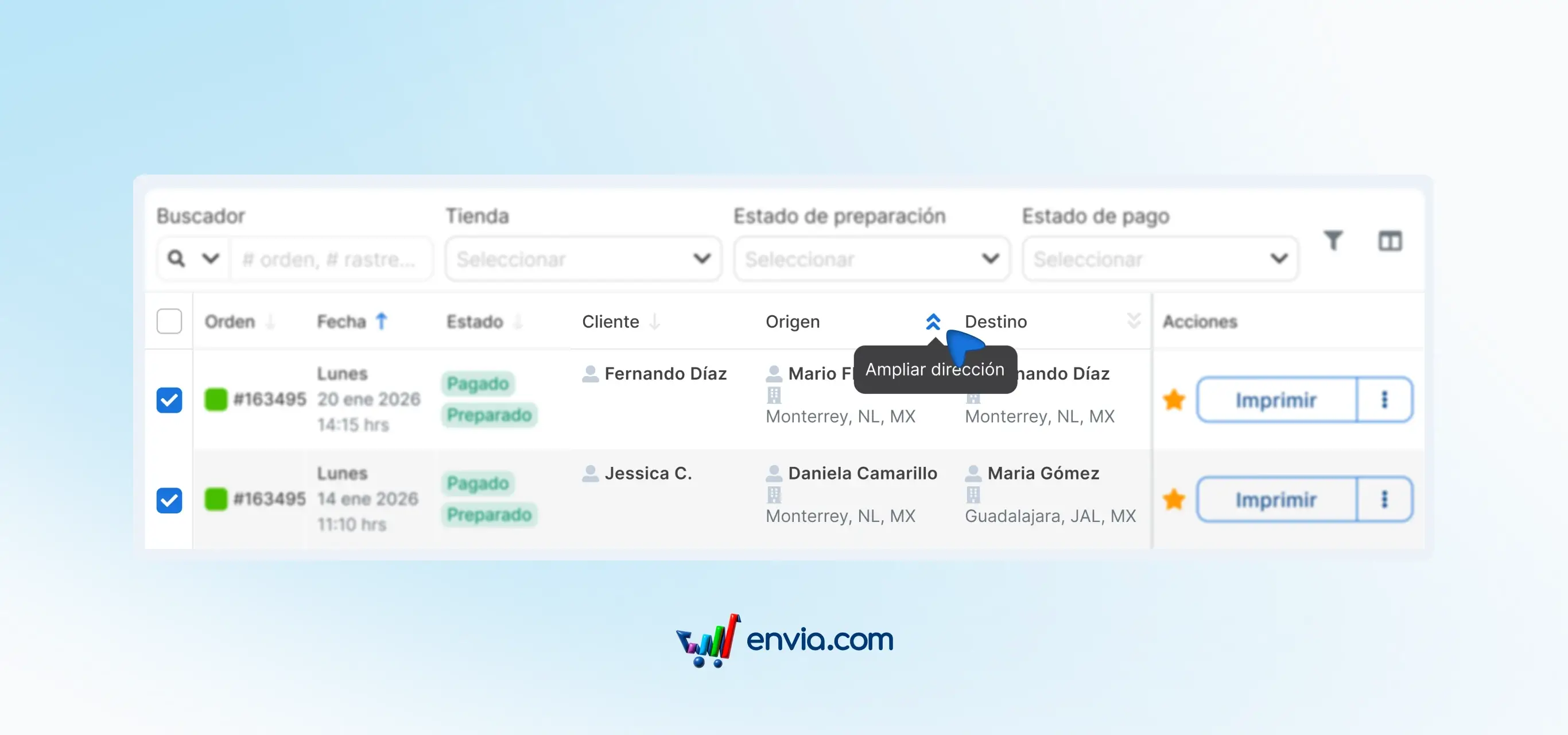
Before, to see the full address of an order you had to open it in a separate view. If you checked multiple orders in a row, that extra click repeated over and over. Now, from the orders table you can expand the origin and destination information directly in the same row. Clicking the corresponding icon shows the name, company, phone, email and full address without switching screens. From those same icons you can copy the information, start a call or send an email in a single click, with no extra steps.
Benefits
- You check the full origin and destination address without opening the order, making validation faster when you have many orders to process.
- From the same table you can copy an address, dial a number or email your customer, without leaving the order list.
- You spot address errors before generating the shipment, without having to open each order separately to check the data.
Note
The expanded address collapses when you click the icon again, so the table doesn't get cluttered with information when you don't need it. This view is available in the Ecommerce Pro section, inside the orders table.