
 Mexico - Español
  China - 中文
  Australia - English
  Canada - English
  India - English
  United Kingdom - English
  United States - English
  France - Français
  Italy - Italian
  Brazil - Português
  Argentina - Español
  Chile - Español
  Colombia - Español
  Guatemala - Español
  Puerto Rico - Español
  Spain - Español
 Choose which internal emails each person on your team receives for each event
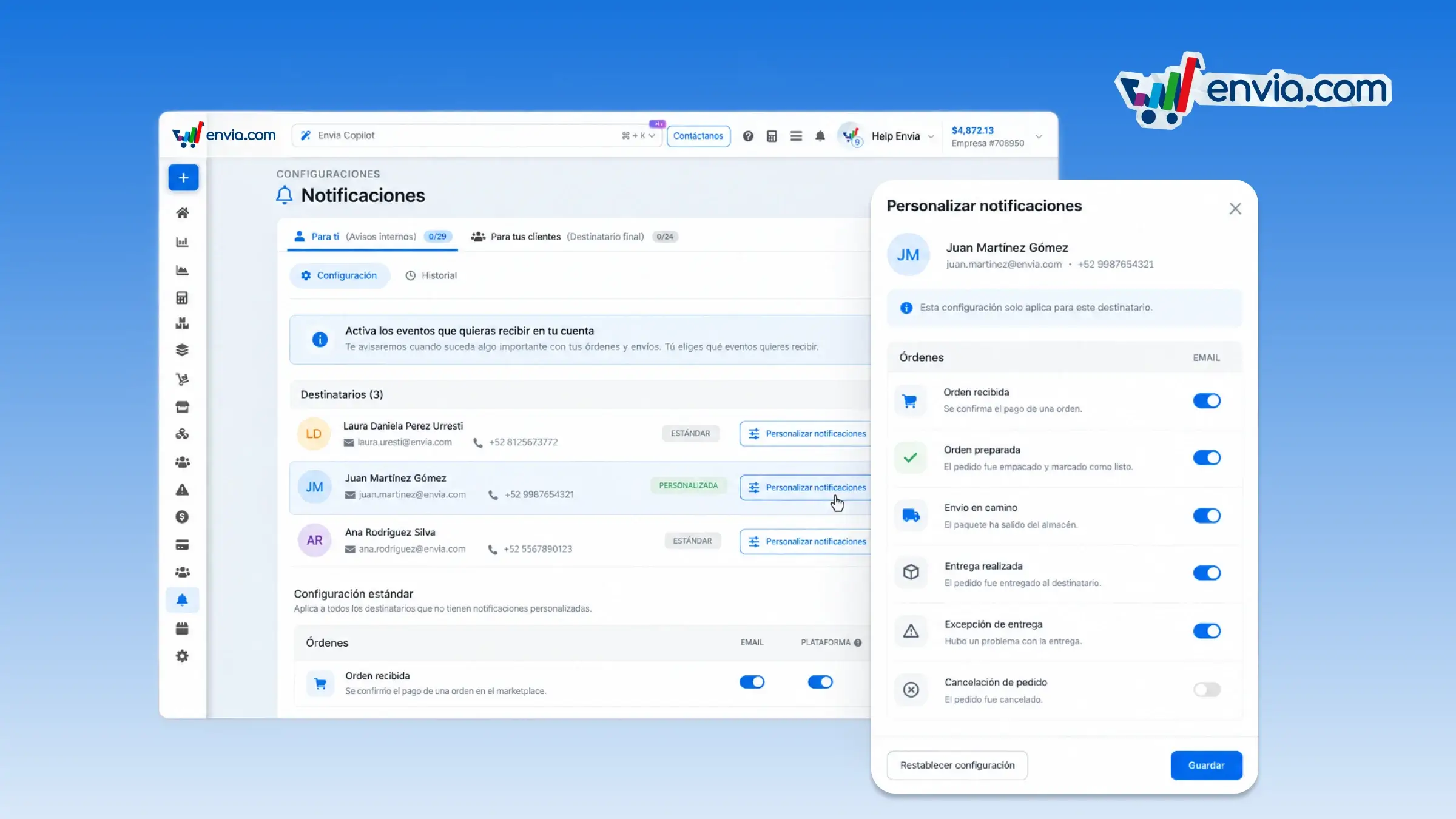
In Notifications, under Internal, you define which emails each team member or external contact receives, depending on the event. Open the recipient, start from the company's default settings, and turn the email on or off for the events that apply to them. When you save, the system keeps those settings for that person only and flags them in the list as customized. If they should go back to the general alerts, reset their settings and they are aligned with the company's again. That way, whoever handles orders can receive delivery exceptions while an external contact only receives the alerts that apply to them, and in the history you see the email or phone number for each notification.
Benefits
- You choose, for each recipient, which events trigger an email, and you keep the company's default settings for the rest of the team.
- You save only the events you changed for that person, and you can reset their settings to the default whenever you want them back on the company's alerts.
- In the history you can check the email or phone number each alert was sent to, to confirm who received it.
Note
Customization applies to email only. Ticket events always follow the company's general settings.