
 Mexico - Español
  China - 中文
  Australia - English
  Canada - English
  India - English
  United Kingdom - English
  United States - English
  France - Français
  Italy - Italian
  Brazil - Português
  Argentina - Español
  Chile - Español
  Colombia - Español
  Guatemala - Español
  Puerto Rico - Español
  Spain - Español
 See the total value of each order directly from your shipments list
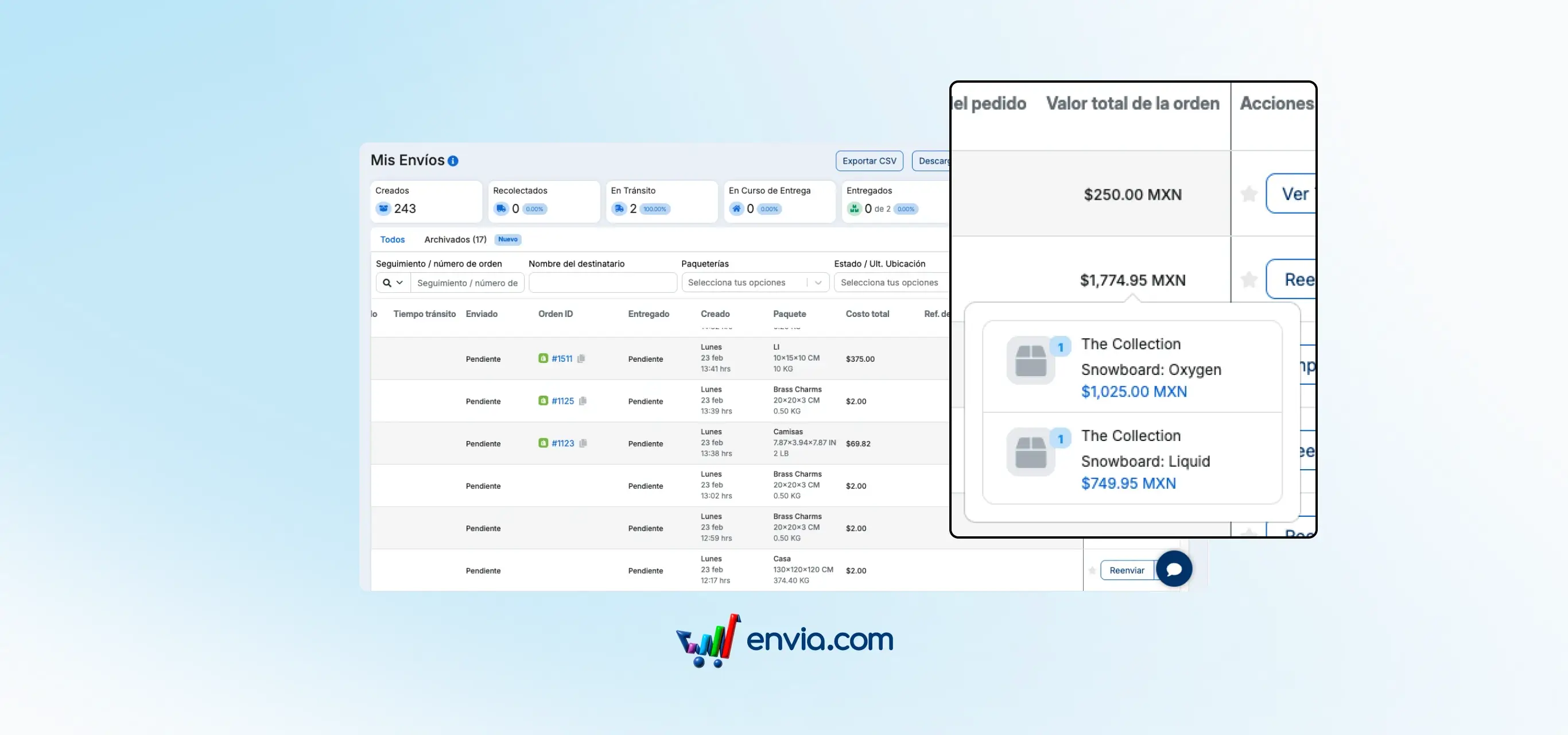
When you manage many shipments a day, matching a sale amount to its corresponding shipment used to take extra time. Now the My Shipments table has an Order Value column where you can see the total amount of each order linked to your Ecommerce store, along with the included product details, without opening the shipment or switching screens. Enable it from Edit Columns and position it wherever works best for you.
Benefits
- See the total amount of each order directly in your shipments table, without opening the details or cross-referencing information between screens
- Compare your sales and shipments from one place to close and reconcile faster at the end of the day
- Enable the column when you need it and sort it according to your workflow, without affecting the rest of your table
Note
The Order Value column only shows information when the shipment is linked to an Ecommerce order. If the shipment was created manually, the field will appear empty.