
 Mexico - Español
  China - 中文
  Australia - English
  Canada - English
  India - English
  United Kingdom - English
  United States - English
  France - Français
  Italy - Italian
  Brazil - Português
  Argentina - Español
  Chile - Español
  Colombia - Español
  Guatemala - Español
  Puerto Rico - Español
  Spain - Español
 Mark a shipment as delivered, returned or lost without changing the courier's status
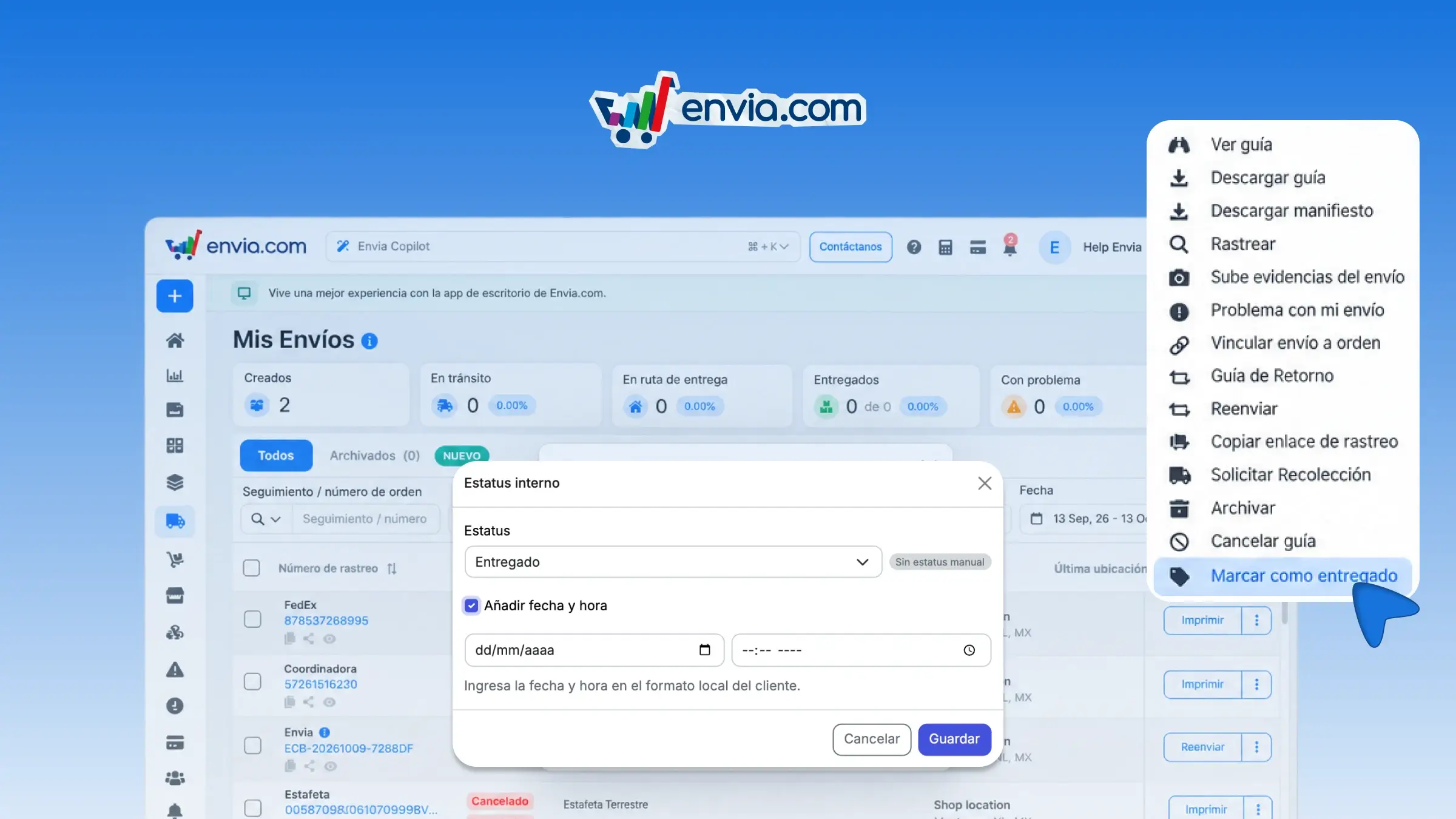
In My shipments and in your store's orders, you can mark a shipment as delivered, returned or lost. You do it from the row menu or the print menu, including for cash on delivery, in incidents, and right after generating a single label. Choose the status, add a date if you like, and save. The status reported by the courier stays as it is, and your mark appears in that shipment's details. If it no longer applies, remove the mark from the same menu.
Benefits
- You choose whether the shipment was delivered, returned or lost, and you can remove that mark when it no longer applies.
- You save the mark with a date, and the system keeps it next to the status reported by the courier.
- You keep the courier's tracking and make clear the status you recorded for that shipment.
Note
You can only mark shipments that already have a label. The mark doesn't replace the courier's status.