
 Mexico - Español
  China - 中文
  Australia - English
  Canada - English
  India - English
  United Kingdom - English
  United States - English
  France - Français
  Italy - Italian
  Brazil - Português
  Argentina - Español
  Chile - Español
  Colombia - Español
  Guatemala - Español
  Puerto Rico - Español
  Spain - Español
 Select the carrier and get real-time quotes when creating manual orders in Ecommerce Pro
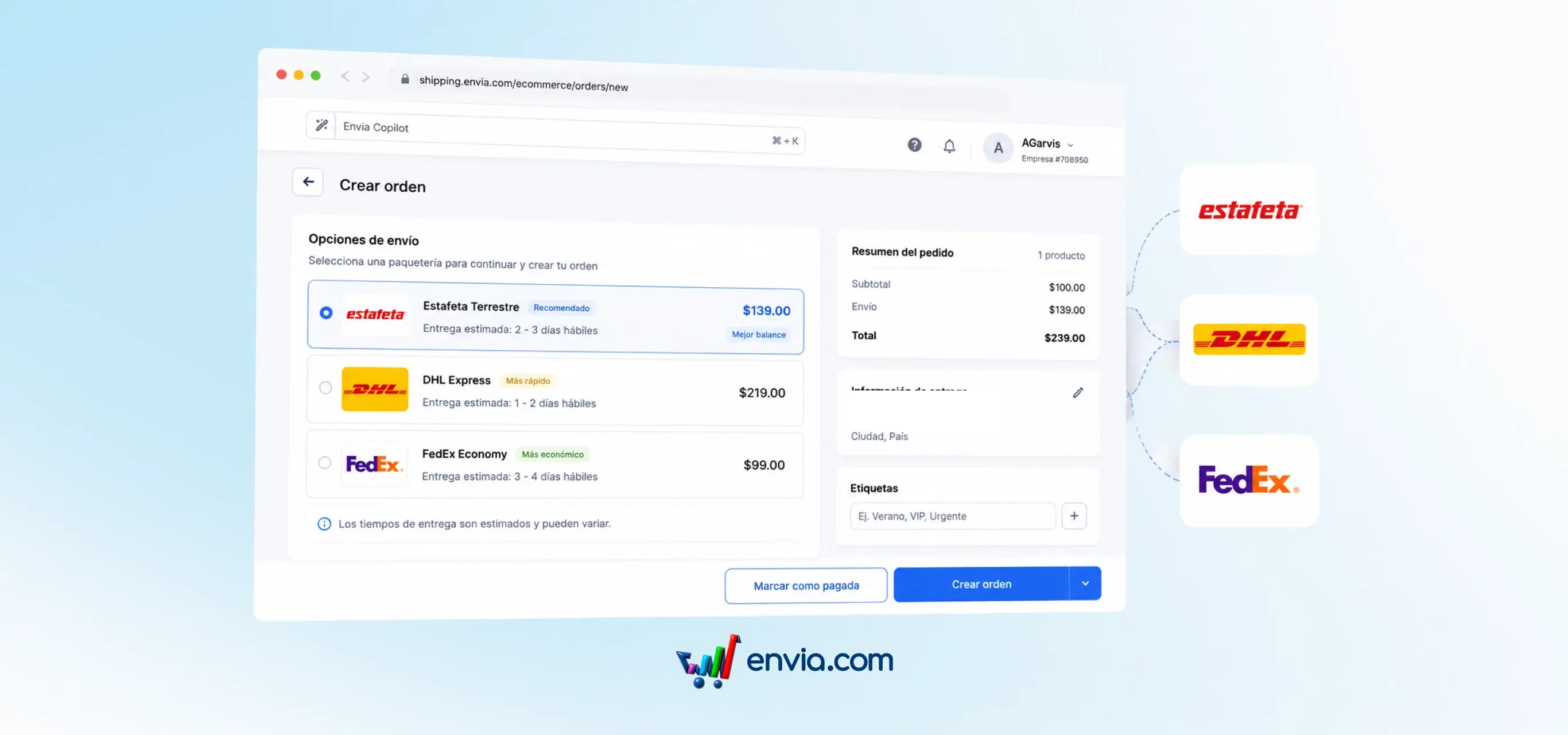
When creating a manual order in Ecommerce Pro, you can enable your store's checkout and see the real rates from your connected carriers — the same ones your customers see when they buy from your online store. Select the products and their variants, set the delivery address, and choose the carrier with the rate that best fits the order. If the buyer agreed to a different shipping cost, you can also enter a custom method with your own name and price. The selected carrier and price are saved to the order, which is created ready to generate the label from View Orders.
Benefits
- Choose the carrier using real rates right when you enter the order, instead of relying on free text that might not match the actual shipping cost.
- The order is created pre-quoted and ready to generate the label, eliminating the separate quoting step after entry.
- Orders from external channels like WhatsApp or phone calls follow the same shipping process as those from your online store, with the carrier and rate recorded from the start.
Note
To see quotes from your carriers, you need to enable checkout in shipping methods.