
 Mexico - Español
  China - 中文
  Australia - English
  Canada - English
  India - English
  United Kingdom - English
  United States - English
  France - Français
  Italy - Italian
  Brazil - Português
  Argentina - Español
  Chile - Español
  Colombia - Español
  Guatemala - Español
  Puerto Rico - Español
  Spain - Español
 Get the tracking number, status, and destination in every ticket notification
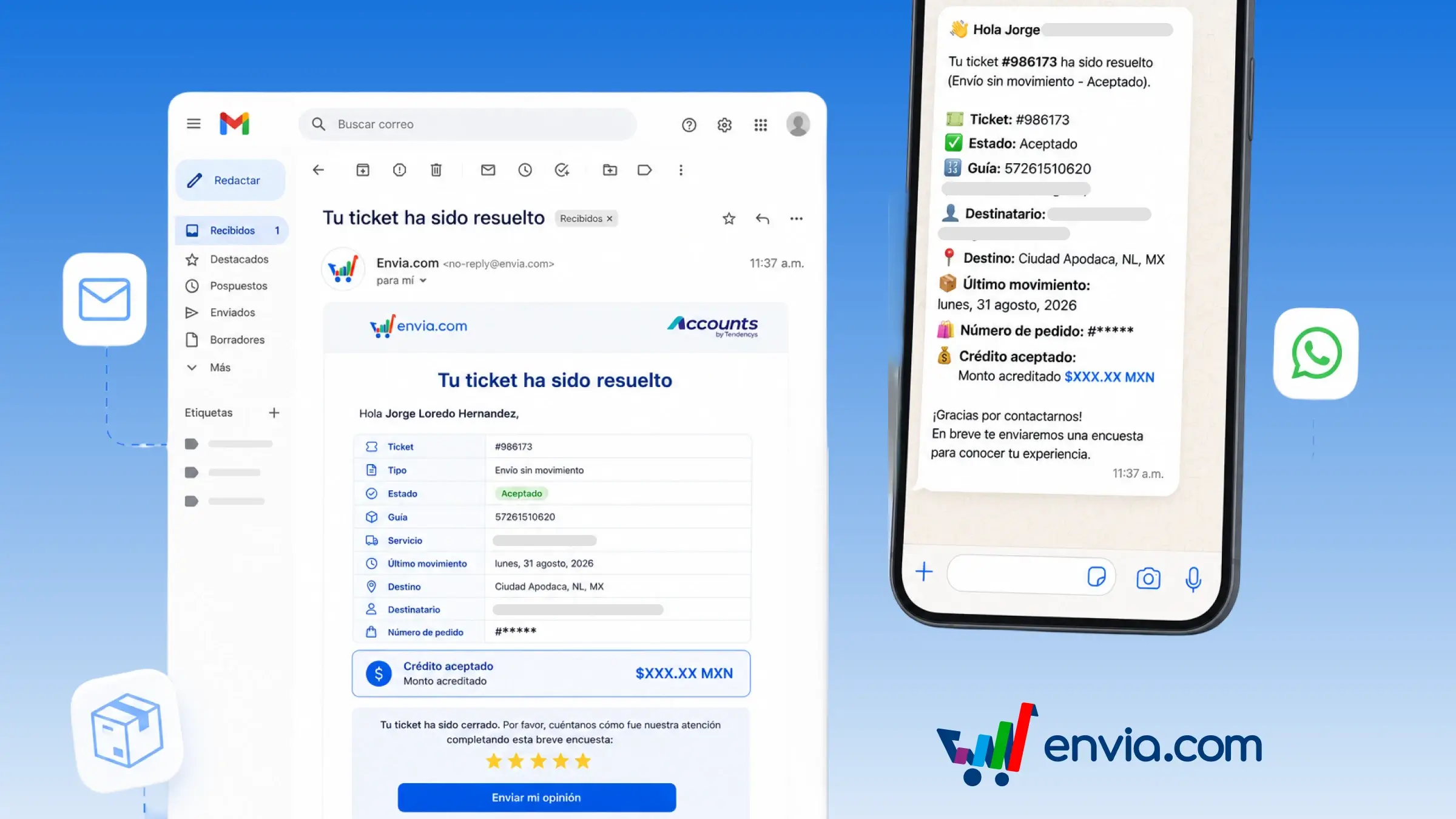
When a support ticket changes, the notification you receive already includes the context of the case and its linked shipment. You see the ticket number and type, the status, and, if there's a shipment, the tracking number, the service, the latest movement, the destination, the recipient, and the order number. If a credit was approved, you also see the credited amount. The same detail can arrive by email, WhatsApp, or your platform's notification centre, depending on what you have enabled in Notifications. At closing, WhatsApp sends the case summary first and the survey after, so you can handle an overweight charge, an incident, or a refund with the details already on hand.
Benefits
- Decide the case's next step right from the notification: complete details, review a credit, or reply to the buyer.
- The system assembles the tracking number, status, and destination whenever the ticket changes. You don't cross-reference the case, the shipment, and the order by hand.
- Reply to the buyer with the tracking number, destination, and latest movement without asking them to resend details.
Note
These notifications are turned on in the Notifications section. A status change arrives by WhatsApp if you don't change anything.