
 Mexico - Español
  China - 中文
  Australia - English
  Canada - English
  India - English
  United Kingdom - English
  United States - English
  France - Français
  Italy - Italian
  Brazil - Português
  Argentina - Español
  Chile - Español
  Colombia - Español
  Guatemala - Español
  Puerto Rico - Español
  Spain - Español
 New Incidents module: detect, handle and resolve shipping issues without losing time
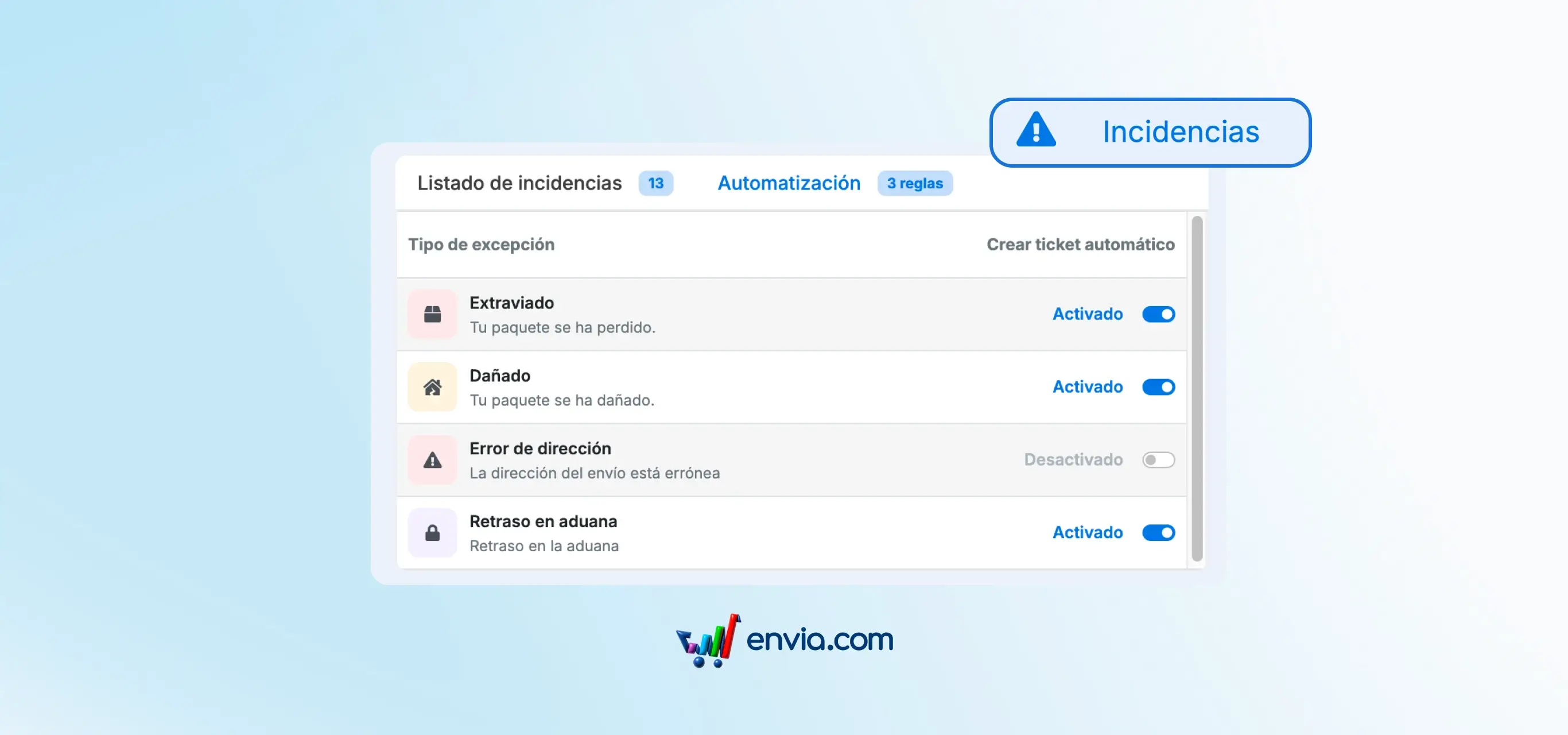
You now have Incidents in your main menu: a dedicated screen that groups all shipments that had an issue — lost, damaged, redirected or address error packages. At a glance you see how many incidents you have in total, which ones you haven't handled, which ones already have an open support ticket and which ones are resolved. You can search by tracking number, filter by exception type and export the list to CSV. From each incident you can open a support ticket or view the existing one. You also have an Automation tab where you configure which types of incidents automatically create a ticket, without you having to intervene each time.
Benefits
- You find out the same day a problem occurs, not when your buyer has already messaged you asking about their package.
- Automatically opens support tickets when a critical incident is detected, without you having to do anything.
- You decide which types of problems automatically generate a ticket and which don't, with full control from the Automation tab.
Note
Nothing you were already using has disappeared. Your labels, previous tickets and settings continue to work exactly the same. Active incidents on your shipments already appear on the new screen — you don't need to do anything to see them.