
 Mexico - Español
  China - 中文
  Australia - English
  Canada - English
  India - English
  United Kingdom - English
  United States - English
  France - Français
  Italy - Italian
  Brazil - Português
  Argentina - Español
  Chile - Español
  Colombia - Español
  Guatemala - Español
  Puerto Rico - Español
  Spain - Español
 Request activation of quote-only services in two steps
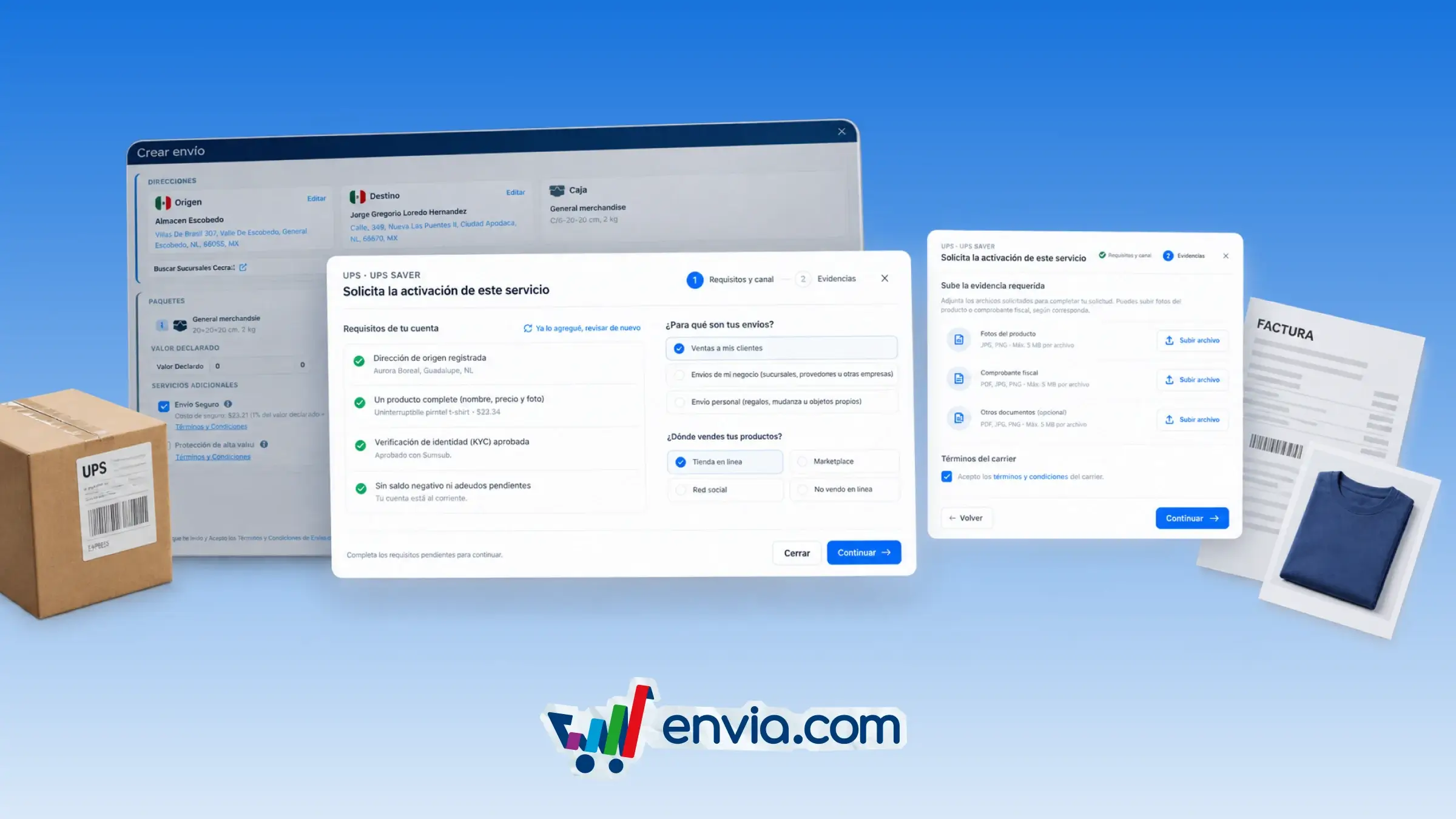
You can start a request to activate a service that only allows quotes. First, you review the automatic requirements, such as KYC, debt, origin address, and product, and complete them from the same dialogue box. Then you upload the required evidence, such as product photos or a tax receipt, and accept the carrier's terms. The platform automatically creates a ticket with your information and files, and shows you the request number. If a file fails, the form stays on the second step and you only re-upload what's missing. This way you keep the process on screen without losing data.
Benefits
- You control the entire activation process without leaving the checkout screen.
- The system generates the ticket and handles file uploads, reducing manual steps.
- You get a request number and a link to your tickets to track the status.
Note
If you already have an open request, the system shows the existing ticket number.