
 Mexico - Español
  China - 中文
  Australia - English
  Canada - English
  India - English
  United Kingdom - English
  United States - English
  France - Français
  Italy - Italian
  Brazil - Português
  Argentina - Español
  Chile - Español
  Colombia - Español
  Guatemala - Español
  Puerto Rico - Español
  Spain - Español
 Choose how the weight of your shipments is calculated with Automatic Package
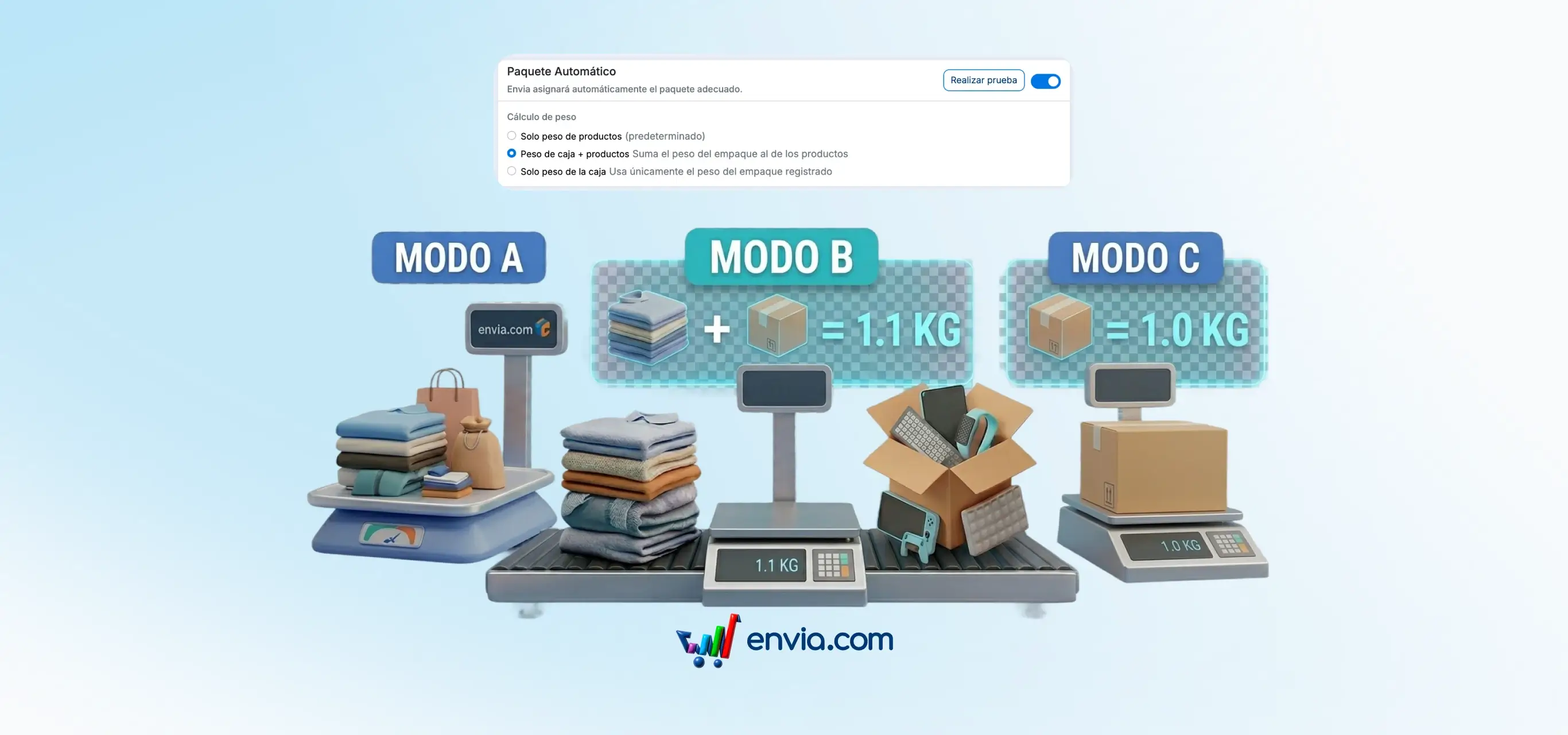
In your store settings, you can define how the weight of each package that the system automatically assigns to your orders is calculated. You have three options: only the weight of the products, the weight of the products plus the weight of the box, or only the weight of the registered box. The mode you configure applies to all orders processed with Automatic Package, without the need to adjust it per order. If your operation includes boxes with significant weight, such as foam packaging or rigid boxes, adding that weight avoids differences between what you quote and what the parcel company charges. The configuration is per store, so you can use different modes depending on the type of product you sell on each channel.
Benefits
- You define the weight calculation mode once and the system applies it to all orders from that store, without having to adjust it for each shipment.
- Package weight is assigned automatically using the mode you configured, with no additional steps when creating your shipments.
- The generated guides reflect the actual weight of the package including the packaging, which reduces the weight difference charges applied by parcel carriers at the time of collection.
Note
This option only applies when Automatic Package is activated in your store.