
 Mexico - Español
  China - 中文
  Australia - English
  Canada - English
  India - English
  United Kingdom - English
  United States - English
  France - Français
  Italy - Italian
  Brazil - Português
  Argentina - Español
  Chile - Español
  Colombia - Español
  Guatemala - Español
  Puerto Rico - Español
  Spain - Español
 Hide the product description on the packing slip and print more items per page
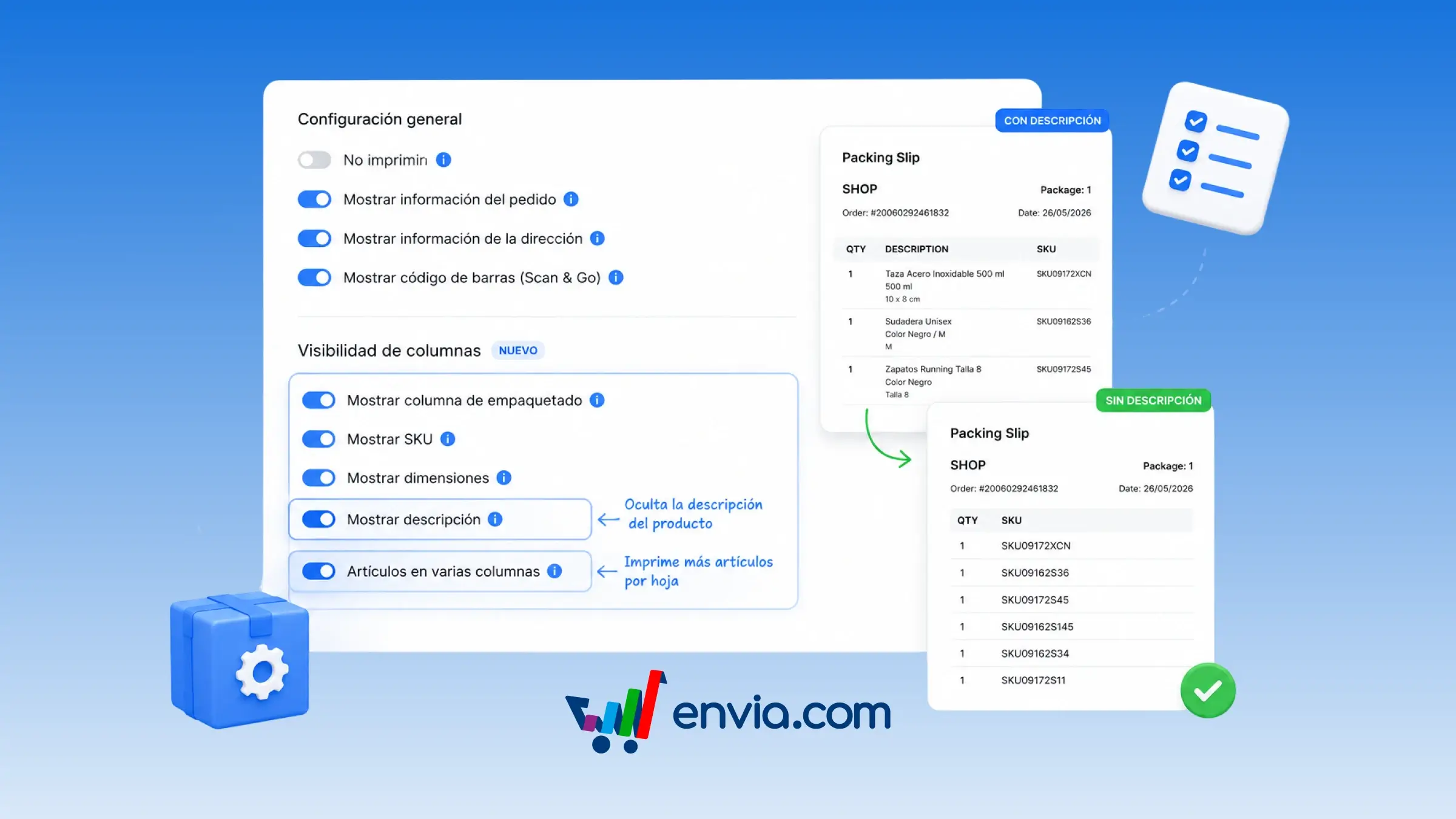
From Ecommerce Pro > Set up your store, you can open Configure Packing Slip and decide whether the document shows each product's description and whether items print in multiple columns. Save the options and every packing slip on your orders uses that setting. If you hide the description, the document stops showing the product name and the dimensions listed below it, and your warehouse team works with quantity and SKU instead. If you turn on multi-column items, the system arranges products in two columns when the description is visible and in three when it's hidden. It's useful when you don't want the commercial product name traveling on the document, or when you're packing orders with many SKUs and need more products per page. Set it up once and stop rebuilding the layout on every print.
Benefits
- Protect catalog information when the packing slip travels with the package or is seen by someone outside your team.
- Orders with many SKUs use fewer pages because the system compacts the item list when printing.
- Your team identifies each piece by SKU and quantity, and the document arrives more compact when the order has many items.
Note
The description stays visible by default and items print in a single column. If you turn on multiple columns, the system uses two when the description is visible and three when you hide it; you don't choose the number of columns.