
 Mexico - Español
 China - 中文
 Australia - English
 Canada - English
 India - English
 United Kingdom - English
 United States - English
 France - Français
 Italy - Italian
 Brazil - Português
 Argentina - Español
 Chile - Español
 Colombia - Español
 Guatemala - Español
 Puerto Rico - Español
 Spain - Español
Archive your store orders without cancelling them and restore them when you're ready to ship
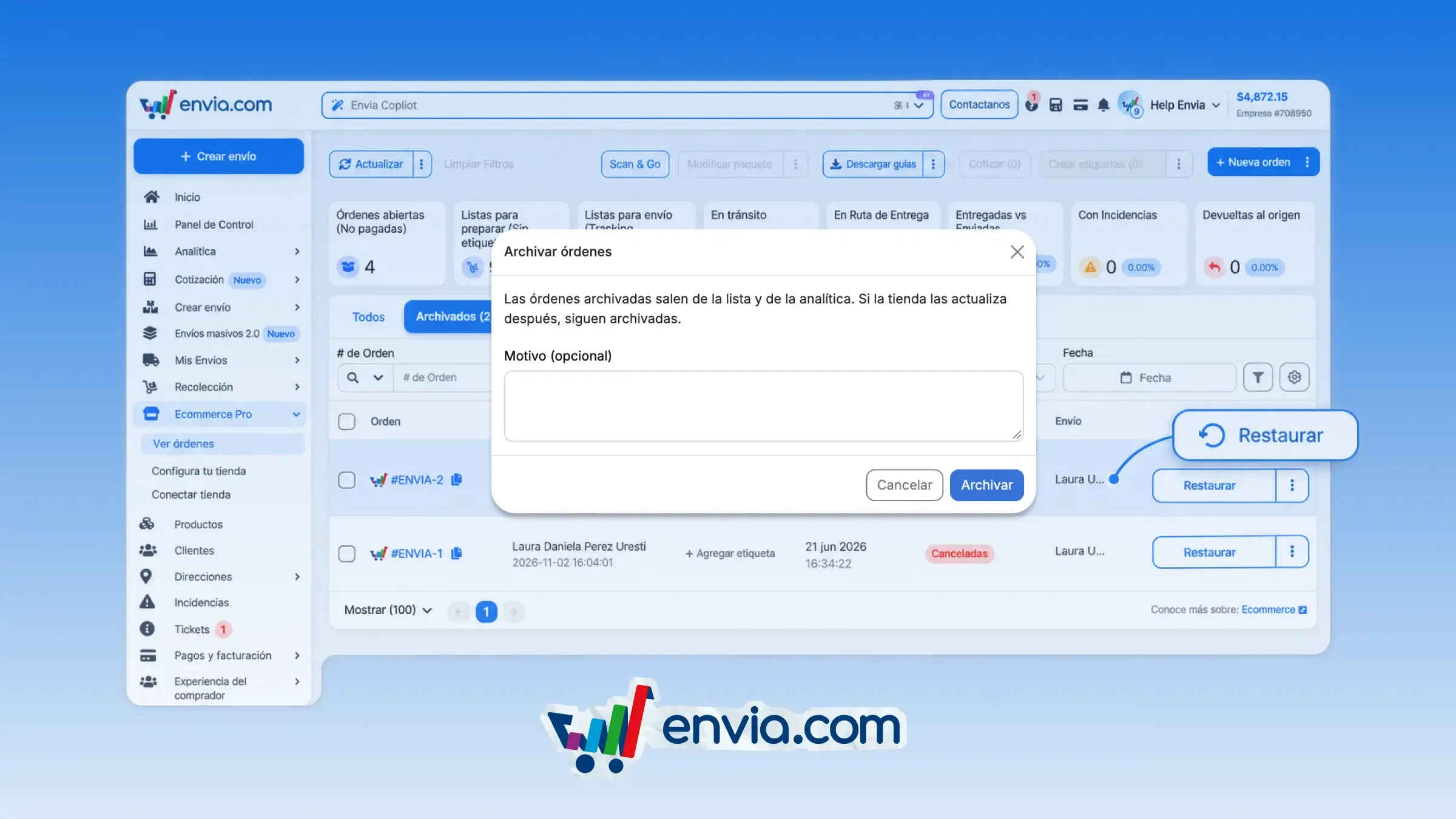
You can archive an order from the row menu, bulk actions, or the order header, and leave a comment with the reason. The order leaves your active list and appears in the Archived tab, where you can see who archived it and when. The system stops quoting it and generating a label for it in Scan & Go, without cancelling the order in your store. Use it for test orders, duplicates, or orders you aren't ready to prepare yet. When you want to pick them back up, restore them and they return to your list to be quoted and given a label.
Benefits
- You decide which orders leave your daily operation and archive them one at a time or in bulk, with an optional comment.
- The Archived tab records who archived each order and when, and you can restore it to ship it.
- Archived orders aren't quoted and don't generate a label, even when scanned in Scan & Go.
Note
Archiving doesn't cancel the order in your store. If you select more than 100 orders at once, the archive option stays disabled.